How To Change Login Screen of Windows
Here is a article on how to change login screen of Windows 8, 7, Vista and XP. Try this out to customize your Windows boot screen.
Read more: How To Change Login Screen of Windows »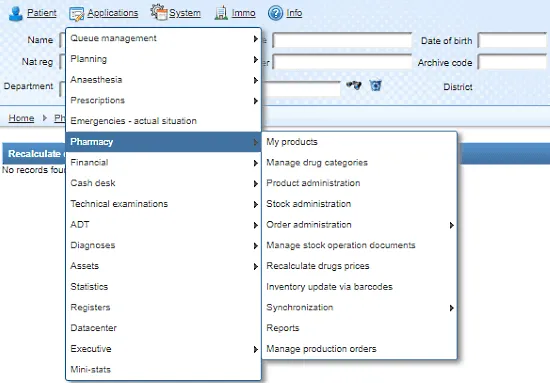
This article covers a free medicine management software for Windows. This software helps you manage pharmaceutical records including product Inventory, stock, orders…
In this article, I will cover a free medicine management software for Window.
OpenClinic GA is an open source hospital information management software that helps you manage pharmaceutical records.
With this software, you can easily keep a record of the medicines and manage them by different categories. You can manage medicines’ stock, orders and prices along with their documentation. It also has support for barcode update for medicines and fingerprint authentication for the users. Along with all these pharmaceutical options, this software covers administrative management, financial records, clinical records, lab records, and meal distribution data along with statistical and reporting capabilities.
Also read: Medical App for Android To Check Medicines, Search Hospitals
OpenClinic GA is an open source hospital management software that also serves as a medicine management software. The size of this software is around 368 MB, which is a Windows executable file. The installation is pretty simple, just run the executable file and follow the steps. After the installation, launch it from the newly created shortcut; this software opens in your default internet browser.
On the launch, it asks you to enter the login credentials. Enter “4” as username and “openclinic” as the password for the first login. After the login, you can change the login credentials accordingly. You can also add other admins and manage their access limits. This software has lots of features, but in this article, I’ll focus only on the medicine management features. These features are listed under Applications -> Pharmacy.
The Pharmacy section includes:
Out of these, some of the important sections are discussed below:
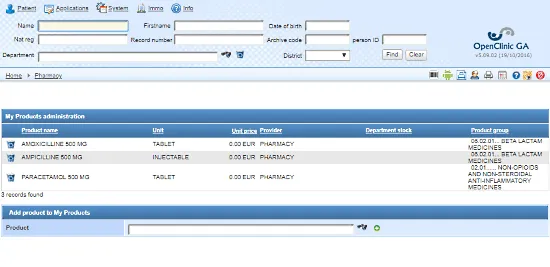
Under this section, you can see your entire medicine stock. You get a list of all the medicines available in the stock along with quantity. Here, you can sort the medicine list by product name, unit, price, provider, department and product group. Below the product list, you get an option to add a new product to the list. You can also search an existing product to update its data.
In this section, you can modify existing drug categories and add new ones as well. To modify an existing category, search that category and click the modify button beside it. And, to add a new category, click the ‘New‘ button and fill up the information.
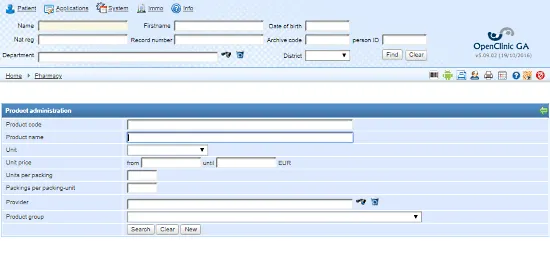
This section is for the product managers. Here, you can update the data of existing drugs and can also add new drugs to the database. To update an existing drug, you can search it by its name, department, provider, stock manager, and outset date.
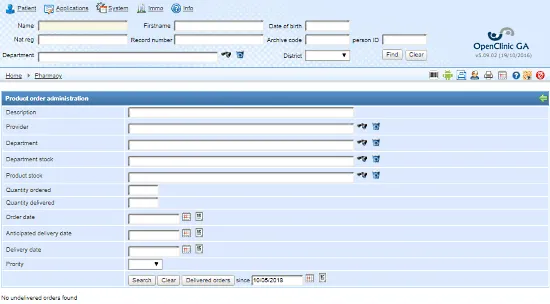
As the name suggests, this section keeps a record of all the drug orders. Here, you can search for current and previous orders. You can find orders for a specific date or time period. You can also access the order forms and generate new orders as well.
Inventory Updates via Barcodes:
As I mentioned above, this software supports barcodes. That means you can update your inventory via barcodes. You can add or remove a product simply by scanning its barcode.
Under this section, you can generate various types of reports. You can generate department-wise medicine report for a specific time period. You can generate a report for the products that are delivered to patients and the products which are close to expiry date.
Apart from all these pharmaceutical options, this software has lots of useful features. It has fingerprint support which you can use for easy logins. It has calendar integration for planning tasks, visits and events. Last but not the list, you can easily print a physical copy of any record and report.
You can download this Medicine Management Software from here.
This medicine management software is a feature-pack solution for drug inventory management. It has all the features you possibly need to manage pharmaceutical records.
Here is a article on how to change login screen of Windows 8, 7, Vista and XP. Try this out to customize your Windows boot screen.
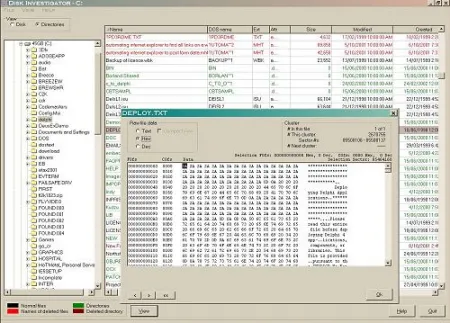
Read more: How To Change Login Screen of Windows »Disk Investigator is a free hard disk management software that lets you see what is present on sectors of your hard drive and also recover lost data.
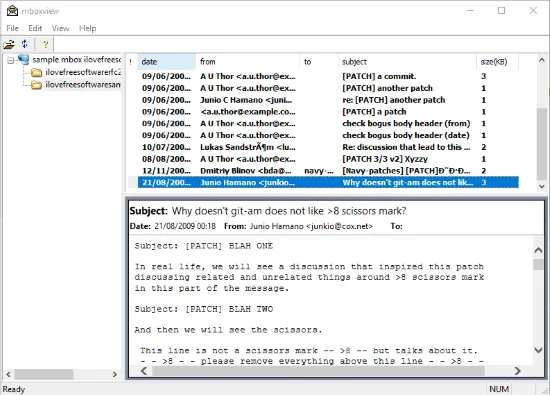
Read more: Disk Investigator – Free Hard Disk Management Tool »Here are 3 free MBox viewer software for Windows. You can add MBox file on the interface, see the list of all email messages, and view its content.
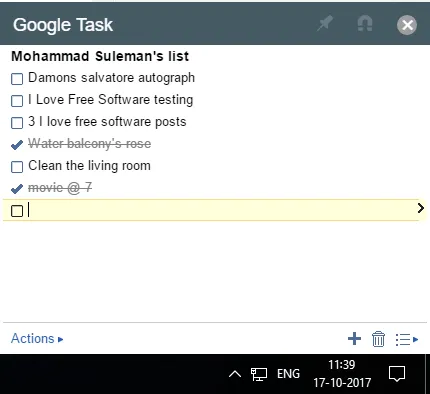
Read more: 3 Free MBox Viewer Software for Windows »Here is a free open source Google Tasks client for Windows. Use it to manage your daily tasks right from top of all your desktop applications easily
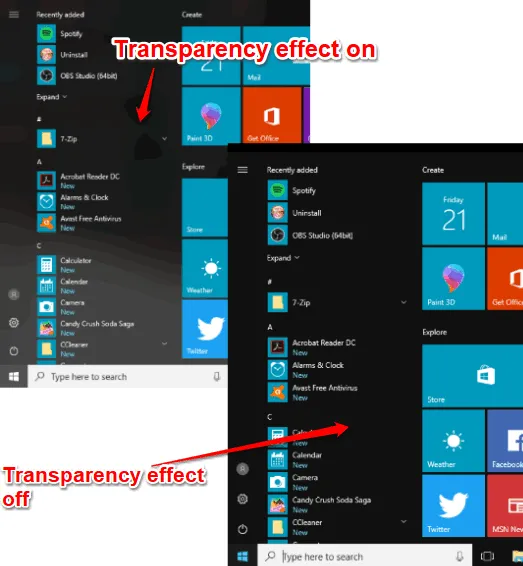
Read more: Free Open Source Google Tasks Client for Windows »This tutorial explains how to disable all transparency effects in Windows 10. It will remove transparency effect from taskbar, Start menu, apps, etc.
Read more: How To Disable All Transparency Effects In Windows 10 »This tutorial covers how to add Recycle Bin to Windows 10 system tray. You can also see total number of files available in Recycle Bin and their total size.
Read more: How To Add Recycle Bin To Windows 10 System Tray »