5 Best Free AI App Builder Websites
Build websites and web apps by describing them in plain English. Free plans of Lovable, Bolt, v0, Replit and the open-source Dyad compared.
Read more: 5 Best Free AI App Builder Websites »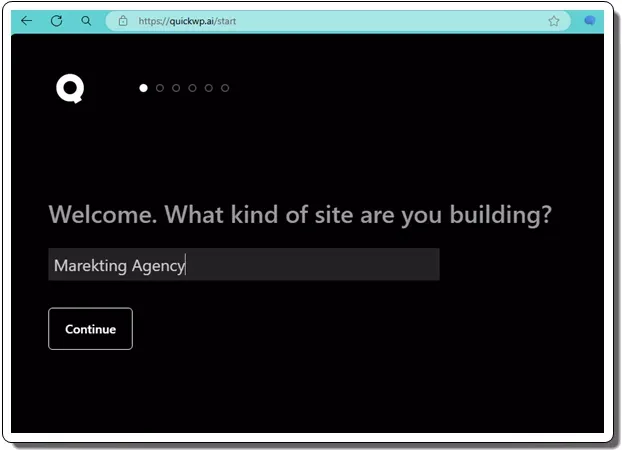
QuickWP creates an AI-generated theme for Gutenberg in minutes. It allows you to create a WP theme with styles, content, and images
Affiliate disclosure: this article contains affiliate links. If you buy through them we may earn a commission, at no extra cost to you. It never changes what we recommend — see our affiliate disclaimer.
QuickWP is an AI powered WordPress theme builder that helps you visually build a WordPress theme in just a few minutes. It runs you through a wizard where you specify different sections of websites.
After taking your inputs in text form, it will generate the homepage of the website accordingly. It even generates images for various sections automatically. The best part is that it is completely free, and the developer of this tool has open sourced it as well.
With this WordPress theme builder, you can quickly create a theme or a prototype for your clients without any technical knowledge. You can preview the theme it generates and even customize the colors before exporting it as a ZIP file. You can use it any number of times and generate as many themes as you want. There is an online version of the tool is available and you can also self-deploy it.
https://www.ilovefreesoftware.com/wp-content/uploads/2024/04/QuickWP-WordPress-Theme-Builder.mp4
A WordPress theme builder helps you create a theme for the next website that you are going to launch. With no code approach, you can design the layout as well as content of the homepage. You can choose different colors for different elements such as buttons, paragraphs, headings, etc. After building your theme, the theme builder will show you preview of the website and will give you the code of the entire theme in a ZIP file.
These are the few benefits of using an automated WordPress theme builder.
The process of using QuickWP is very simple. Just follow these steps.
Go to the QuickWP website here: QuickWP
Simply start by specifying what kind of website you want to create.
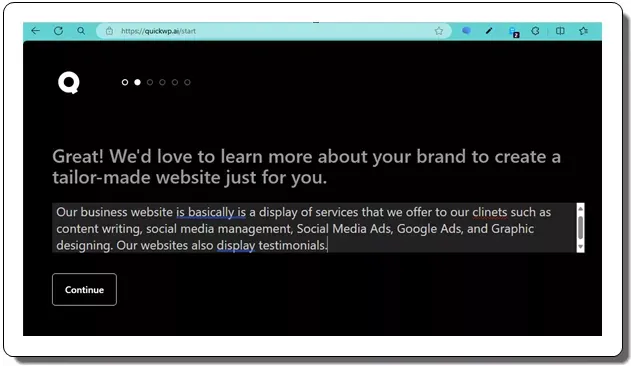
In the next step, you can define what you want on your website. Just specify the elements and sections that you want on your website. Include as much details as you can for AI to generate those things accordingly.
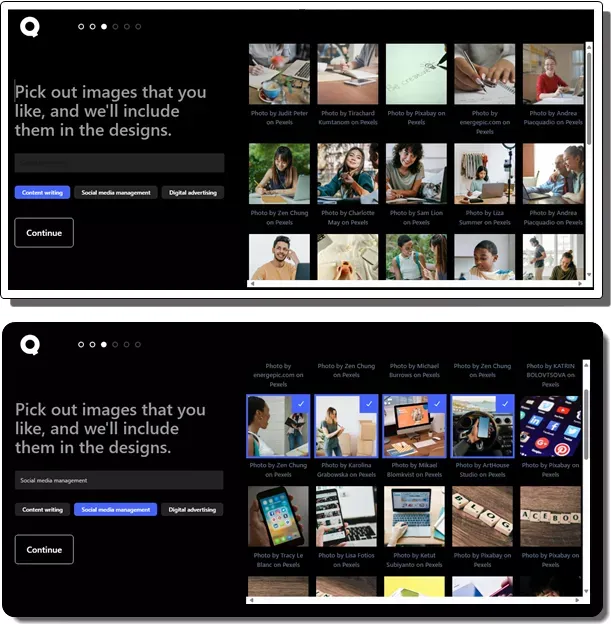
Proceed and in the next step, it will ask you to pick images for the different sections. So, first select a section name and then pick images from the gallery on the right side. Do it for other sections. Here it generates/suggests images for the different sections using AI on the fly.
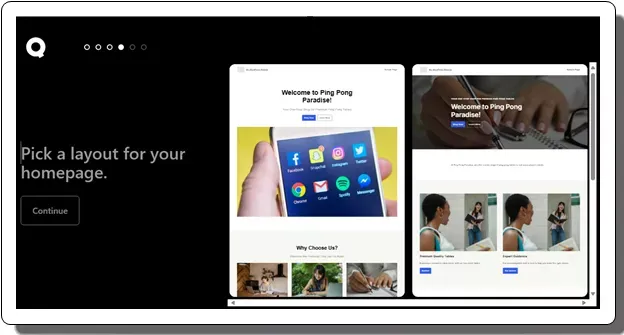
Now, it will ask you to choose a website layout. For now, it shows layout options to pick from. So, pick one and then proceed further.
In the final step, you need to choose colors for the various elements. Pick a color one by one for paragraphs, headings, buttons, etc., and it will save your preference. It will also show you preview of various elements with the colors you choose.
Now, you will reach the final screen where it will show you two options; preview the website or download the theme in ZIP format.
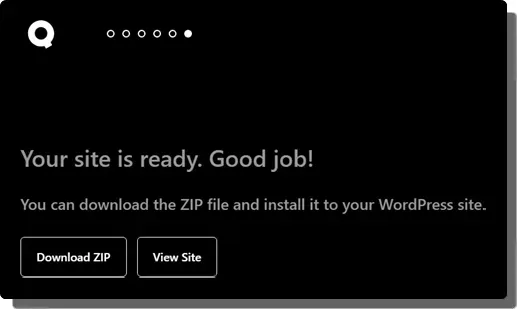
Done.
Once you get the ZIP file, you can upload it to your WordPress website’s theme directory. To do that, you log into WordPress and go to Appearance > Themes > Add New Theme > Upload Theme. After uploading the ZIP file, simply activate it and your theme will be working on the main homepage. You can see an example of this in the video at beginning of this post.
QuickWP gives you a theme, but you still need a WordPress site to install it on. Self-hosted WordPress needs a host with PHP and a MySQL database, so free static hosts like GitHub Pages or Cloudflare Pages won’t work.
Most shared hosting plans install WordPress in one click. Hostinger is one of the cheapest: its Premium plan includes WordPress installation, a free domain for the first year and free SSL. The low price is tied to a long prepaid term and goes up at renewal, so check the renewal price before you buy. Once WordPress is installed, upload your QuickWP ZIP as described above. See Hostinger plans.
The Hostinger link is an affiliate link. See our affiliate disclaimer.
QuickWP is indeed a quick WordPress theme builder that you can have. Within a few minutes, you can have a working WordPress theme that you can upload to any WordPress website. The theme builder that it offers is Gutenberg based and for now works as it should. If you are looking for a quick and simple WordPress theme builder, then you will be better off with QuickWP. Or, even if you are an agency who has to create website mockups then it will work in that case as well.
Build websites and web apps by describing them in plain English. Free plans of Lovable, Bolt, v0, Replit and the open-source Dyad compared.
Read more: 5 Best Free AI App Builder Websites »AI Rap Song Generator is the ultimate app for rap fans and aspiring rap artists who want to create their own rap songs with the power of AI.
Read more: Create a Rap Songs using AI with this iPhone app: AIRapGenerator »Compare the free plans of Google Flow, Kling, Dreamina, Hailuo, Runway and Pika: daily credits, watermarks and what you can actually make without paying.
Read more: 6 Best Free AI Video Generator Websites »Run ChatGPT-style AI models offline on your own PC with these free apps: Ollama, LM Studio, Jan, GPT4All, AnythingLLM and Open WebUI compared.
Read more: 6 Best Free Software to Run AI Models (LLMs) Locally »Create images from text prompts for free. Google Gemini, ChatGPT, Microsoft Bing Image Creator, Ideogram, Leonardo and Adobe Firefly free plans compared.
Read more: 6 Best Free AI Image Generator Websites »Analyze any subreddit with AI in 30 seconds to get trends, startup ideas, pain points, and more with links to relevant posts.
Read more: Analyze any Subreddit with AI in 30 Seconds: RedditScan »