How To Make Chrome Browser Frameless?
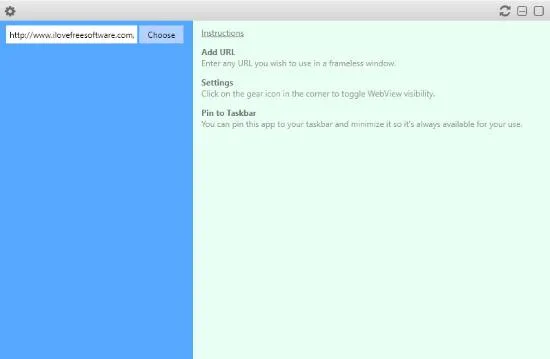
Here, I cover four different ways to make Chrome browser frameless. You can easily access these methods and open window without frame.
Read more: How To Make Chrome Browser Frameless? »
This tutorial is all about how to see the size of Chrome browser when it is resized. You can see the browser size in real-time and in em and px units.
This tutorial is all about how to see the size of browser when it is resized. By default, Chrome does not have a native option to show the exact size of the window when you resize it on your PC. That means to know the size of the browser, you would need to use third-party software (like screen ruler software). But, today I have come across a free Chrome extension which can display the exact size of the browser in real-time when you resize it. It shows the size in both “em” scalable units and “px” fixed size units while resizing the browser.
The extension is actually called “Responder” and is exclusive to Chrome browser only. So, if you’re a Google Chrome user, then you can take advantage of this extension. This extension can come in handy in case you want to resize browser to any specific size for taking screenshots, screen capture, or any other purposes.
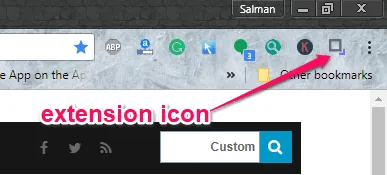
To get started, simply install the “Responder” extension on your Chrome browser (use link available at end of this review). After that, you will see an extension icon on the toolbar.
Simply, restart the Chrome browser and then the extension will be up and running in the background. You don’t need to configure anything manually to use this extension.
Now, simply resize the browser by dragging the edges of the window and you will see that the size of the browser is shown in the upper right corner. This extension shows the browser’s size in real-time. That means as you resize the window, you will be able to see the actual size of the browser window.
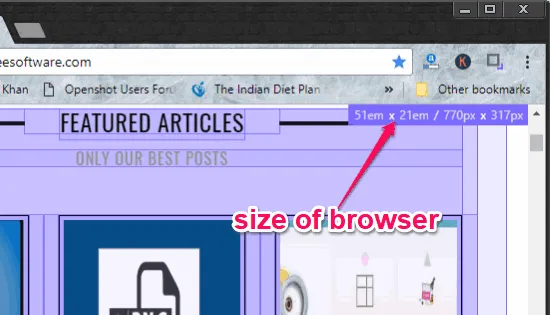
It shows the size of the browser in scalable units (em) and also fixed-size units (px or pixels). Apart from that, it also highlights the CSS elements of a web page with line grids. This can be helpful if you are trying to test responsive behavior of website on a specific screen size.
Responder makes it very easy to see the Chrome browser size when it is resized. So, if you have been looking for a way to see the size of Chrome browser when it is being resized, then start using the “Responder” extension right away. The best part of this extension is that it shows the size in “em” and “px” and also in real-time.
Here, I cover four different ways to make Chrome browser frameless. You can easily access these methods and open window without frame.
Read more: How To Make Chrome Browser Frameless? »Puffin Web Browser is a free iPhone web browser to browse internet on iPhone. It shows mouse cursor and plays Flash files. Download Puffin Web Browser.
Read more: Puffin iPhone Web Browser: Mouse Cursor, Flash Files Support »Opera is a completely free web browser that works on Windows, Linux, and Mac. It is extremely fast, and uses less system resources. Download Free Here.
Read more: Download Opera – Free Web Browser »Find or check a bank's SWIFT/BIC code by country, city and bank name with these free SWIFT code finder and lookup websites.
Read more: 10 Free SWIFT Code Finder & Lookup Tools Online »Get an email address like [email protected]: free forwarding, mailboxes included with hosting, or a dedicated email service, plus SPF, DKIM and DMARC.
Read more: How to Set Up a Professional Email Address With Your Own Domain »Explore a simple way to find out who recently unfollowed you on GitHub and track GitHub Unfollowers for effective networking.
Read more: Find Out Who Recently Unfollowed You on GitHub »