How To Change Login Screen of Windows
Here is a article on how to change login screen of Windows 8, 7, Vista and XP. Try this out to customize your Windows boot screen.
Read more: How To Change Login Screen of Windows »
This tutorial explains how to change the Mac address in Windows 10. This can be done without using any third-party plugin.
This tutorial explains how to change the Mac address in Windows 10.
Each individual NIC (Network Interface Card or Network Adapter) has a unique alphanumeric code or value to identify devices. However, if you want to change Mac address of NIC in Windows 10 for any reason (like to remove filter restrictions), then it can be done easily and without any third-party tool.
This tutorial covers all those steps that are needed to access or locate your Mac address and change it. Let’s see how you can do the same.
Here are some other tutorials for Windows 10:
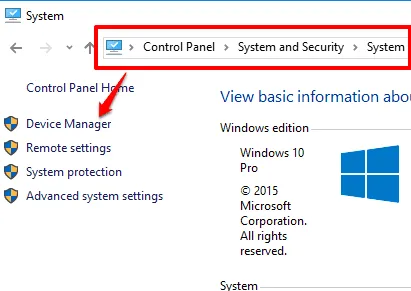
Step 1: Your first need to open System window. For this, you need to go to Control Panel → System and Security → System. You can also use the shortcut or hotkey (window key + pause/break). That window contains Device Manager option. Select that option.
Step 2: Device Manager window contains the list of different categories. You need to find and explore Network adapters. There you will see the list of devices.
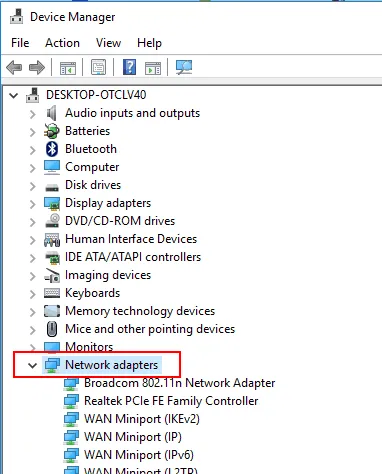
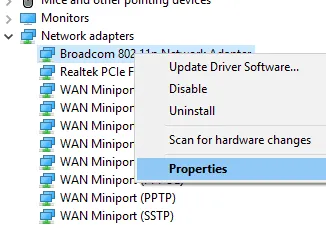
Step 3: Select the one (network adapter) whose Mac address you want to change. Right click → Properties.
Step 4: Properties window has Advanced tab. Access that tab and find Locally Administered MAC Adress or Network Address. Select it and you will be able to see Mac address in ‘Value:‘ option. Now you can enter other Mac address as per your need. Do note that you don’t have to use “:” or “–” when entering the Mac address.
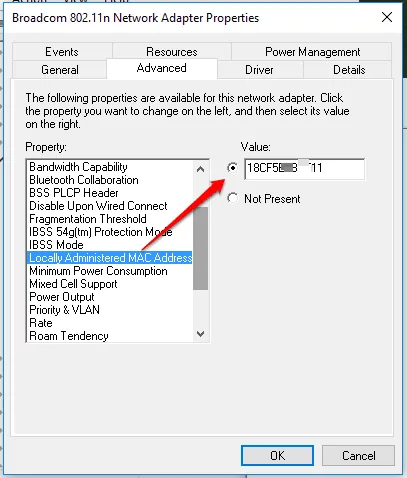
Press OK button to save changes.
Changing the Mac address in Windows 10 can be beneficial in many cases. However, whatever you do, I would suggest you to first note down your original Mac address and keep it safe so that you can access and use it the next time, in case something wrong happens.
Here is a article on how to change login screen of Windows 8, 7, Vista and XP. Try this out to customize your Windows boot screen.
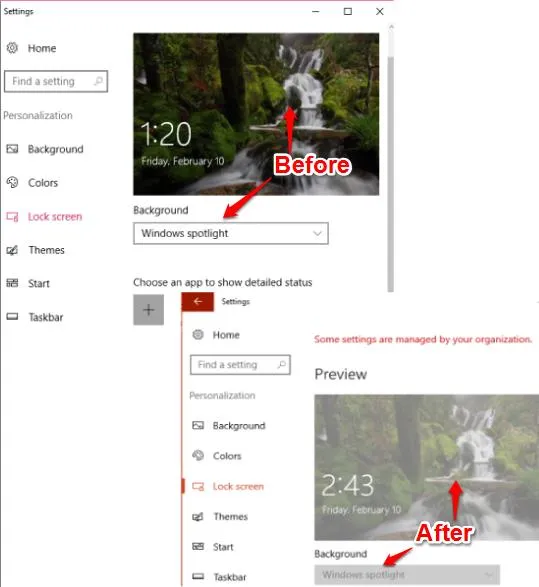
Read more: How To Change Login Screen of Windows »This guide covers how to disable lock screen wallpaper change in Windows 10. I will do this using the Group Policy and Registry Editor.
Read more: How To Disable Lock Screen Wallpaper Change In Windows 10 »This article explains how to change target folders for libraries in Windows 10. You can easily specify the default save locations for all Windows libraries.
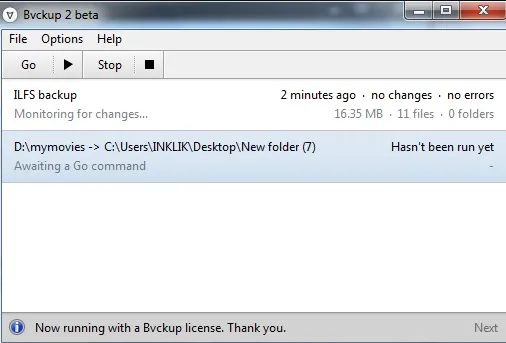
Read more: Change Target Folders For Libraries In Windows 10 »Bvckup 2 (beta) is a folder backup software to automatically backup files and folders when they change. It can take incremental backup as well.
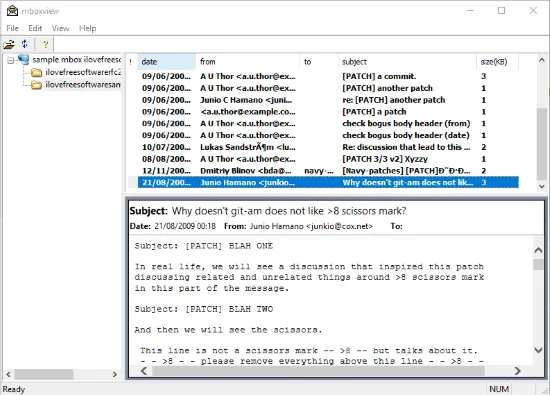
Read more: Free Backup Software To Automatically Backup Whenever Files Change »Here are 3 free MBox viewer software for Windows. You can add MBox file on the interface, see the list of all email messages, and view its content.
Read more: 3 Free MBox Viewer Software for Windows »This article covers a free medicine management software for Windows. This software helps you manage pharmaceutical records including product Inventory, stock, orders…
Read more: Free Medicine Management Software For Windows »