5 Free Video To Audio Apps For Android
Here's a list of 5 video to audio apps for Android which you can use to convert videos into audio tracks.
Read more: 5 Free Video To Audio Apps For Android »
AnkiDroid is a flashcard app for Android to create flashcards and also allows to import flashcards. It supports audio, text, and image flash cards.
AnkiDroid is a Flashcard app for Android that lets you create Flashcards and also allows to import flashcards. It supports sound, text, LaTeX, as well as image flash card contents which makes it more interesting to use. You can import flashcards *.apkg file from desktop version (Anki) to AnkiDroid and can even sync your AnkiWeb account with it. AnkiDroid also offers to get shared decks which contain multiple categories of flashcards to download, shared by users. All the decks containing flashcards will be available on its main interface. You can create your own deck or can simply import decks from AnkiWeb.
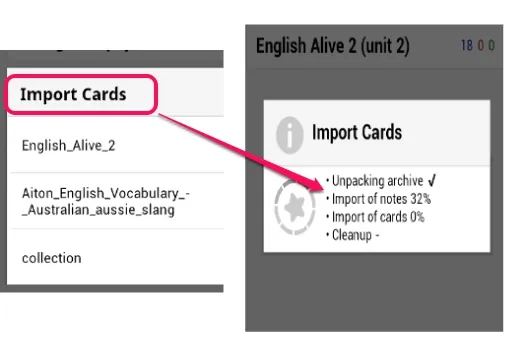
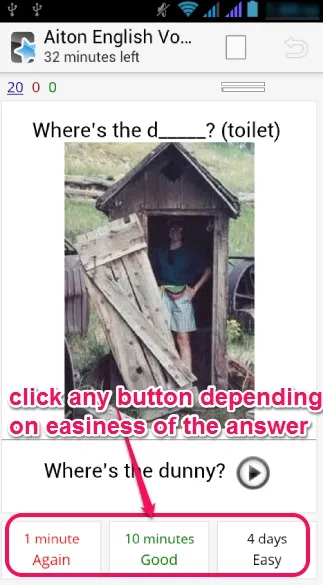
Screenshot above shows main interface of AnkiDroid with added decks and a flash card at right side.
 Thus, android version is fully compatible with its desktop version.
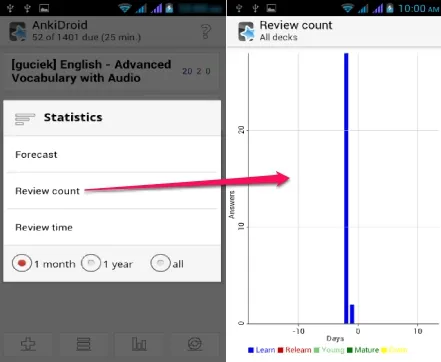
Install AnkiDroid to your android device and open its interface. It provides a tutorial deck to make it easy for you to understand how to use AnkiDroid. You have to create a new deck in which you can insert cards made by you or you can get shared decks shared by users from AnkiWeb. All the added decks will be available on its main interface, like visible in screenshot below:
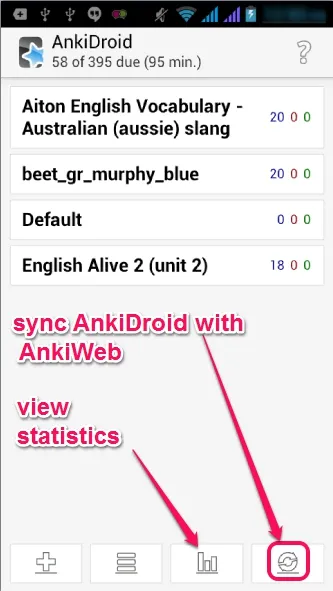
Main interface also provides buttons to add a note, view all decks cards (with search facility), view statistics, and sync AnkiDroid with AnkiWeb. Sync is not quite beneficial as it overwrites data from AnkiDroid to AnkiWeb account and vice-versa. It doesn’t actually synchronize decks. Rather, it lets you upload your AnkiDroid files to AnkiWeb by overwriting the decks or download AnkiWeb decks to AnkiDroid by overwriting the decks available in AnkiDroid.
To add a new deck or to get shared card, click on menu icon on your phone and options will open up.
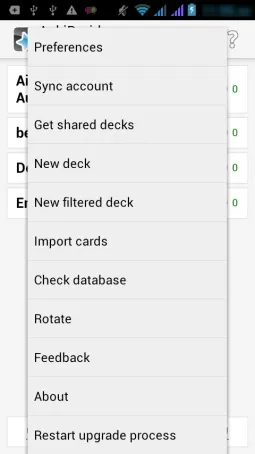
If you want to get shared cards, make sure you are logged in to your AnkiWeb account. If not, it will first let you login and then you can choose decks, which you can import easily.
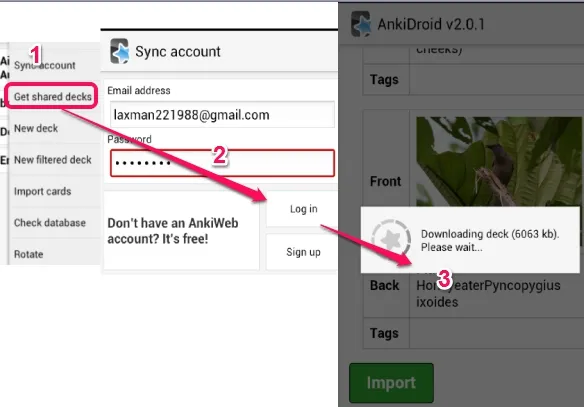
All the imported cards will available on main interface. And as mentioned in key features, you can even import cards from Anki.
Now start playing and learning with flash cards and sharpen your memory. As you have finished today’s study, you can customize the study by increasing today’s new card limits, study with a random selection of cards, preview new cards etc.
AnkiDroid is a very feature rich flashcard app for Android. The major advantage with this flash card app is that images and audio flashcards are supported. However, the syncing process with AnkiWeb should be refined, as it overwrite the data.
You might want to check these other 5 free flash card makers.
Here's a list of 5 video to audio apps for Android which you can use to convert videos into audio tracks.
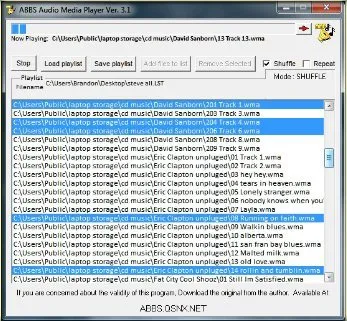
Read more: 5 Free Video To Audio Apps For Android »Audio Media Player is a simple playlist manager which is completely free to use. Your desire to just play music is fulfilled with this media player. Just select your…
Read more: Audio Media Player: Free Playlist Manager »Here you will learn about 5 free mandolin tuner apps for Android. These apps can help you tune your mandolin strings by analyzing them in real-time.
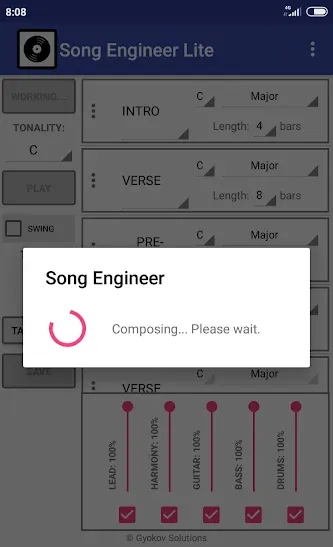
Read more: 5 Free Mandolin Tuner Apps for Android »Song Engineer is an app for auto song composition. It uses an algorithm that creates & matches harmony and melodies of different instruments
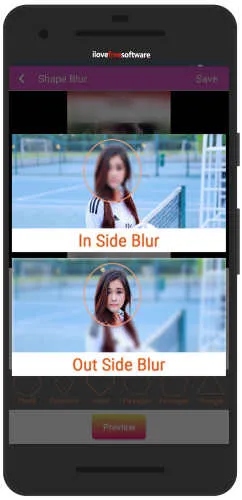
Read more: Free Automatic Music Composition Generator for Android: Song Engineer »Here you can learn about how to add depth of field to video with this Android app. Select a video, choose custom shapes to add blur effect in specific part.
Read more: How to Add Depth of Field to Video with this Android App? »Master Audio And Its Sidemen is a free software for Windows to record, play, convert, tag, and edit audio files. Add effects/filters to create great music.
Read more: Free Software to Record, Play, Convert, Tag and Edit Audio Files »