4 Best Free Cron Expression Generator Websites
Build and check cron schedules online. These free cron expression generators explain schedules in plain English and show the next run times.
Read more: 4 Best Free Cron Expression Generator Websites »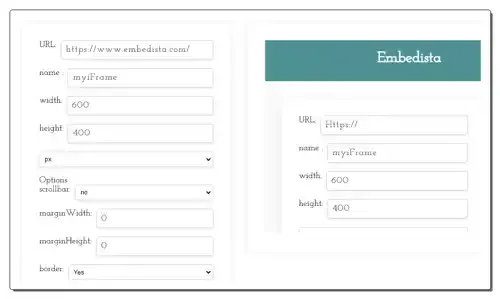
Use these online iFrame code generator websites to quickly generate a custom iFrame code with source URL and frame settings.
Here is a list of best free online iFrame code generator websites. iFrame or Inline Frame is an HTML element that allows users to embed a webpage within an existing webpage. It allows users to show the video content or website content in a smaller window within another website. iFrames are used for advertisements, web analytics, and interactive content. It gives users the flexibility to specify the frame window size, add border, and scroll bar. However, the process of manually specifying all the iFrame parameters needs sound knowledge of HTML code writing. If you want to generate iFrame code without knowing the HTML, then check out these online iFrame code generator websites.
I have tested more than 20 iFrame code generator websites and tools and come up with these 8 best free iFrame code generator websites. Through these websites, users can quickly generate a custom iFrame code. To do that, users need to specify the source URL (to embed in existing website), resolution of frame window, add/ borders, add/ remove scrollbar, specify border dimensions & color, etc. Based on the provided values, these websites generate a fully functional iFram code. Plus, an interactive preview of the iFrame code is generated to check out the final look of the iFrame window. To help users, I have included the iFrame code generator steps in the description of each website. Go through the list to learn more about these websites.
embedista.com is my favorite website as it lets users generate and interact with the iFrame code. Plus, it explains all its features and provides steps to use this tool.
You can also check out lists of best free Online HTML Marquee Generator, Online CSS Hover Animation Generator, and Online HTML Table Generator websites.
| Features/Website Names | Shows iFrame code preview | Lets users add various frame and design elements | Explains iFrame code |
|---|---|---|---|
| embedista.com | ✓ | ✓ | ✓ |
| iframe-generator.com | ✓ | ✓ | x |
| aspose.app | x | ✓ | ✓ |
| html-css-js.com | ✓ | x (lacks some frame adjustment features) | x |
| frontendresource.com | ✓ | ✓ | ✓ |
| codebeautify.org | ✓ | x (lacks some border adjustment features) | x |
| zazzlemedia.co.uk | ✓ | x (lacks some border adjustment features) | x |
| yttags.com | ✓ | ✓ | ✓ |
embedista.com is a free online iFrame generator website. This website simplifies the process of creating the HTML code needed to embed a website within another website. I can also use it to customize multiple website elements like resolution, add or remove scrollbar, margin values, included border or not, border type, border color, and more. It also shows a preview of the embedded website with all applied settings.
This website describes iFrame and describes this iFrame code generator. It also provides steps to use this tool to generate a custom iFrame code. It even highlights all the elements that users can adjust according to their requirements. Now, follow the below steps.
It is one of the best free online iFrame generator websites that helps users generate a custom iFrame code based on their requirements.
| Pros |
|---|
| Shows a preview of the iFrame code |
| Lets users adjust various frames and design elements |
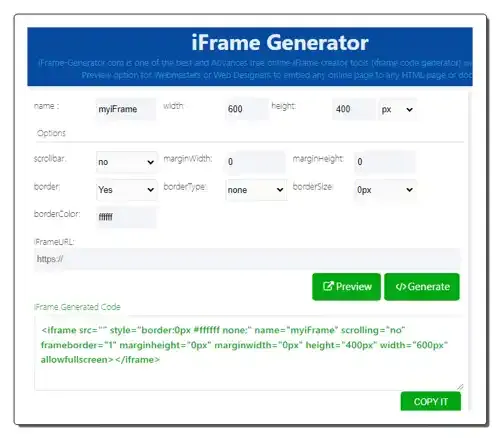
iframe-generator.com is a free online iFrame code generator website. This website helps me generate custom iFrame code by specifying the iFrameURL, iFrame width, iFrame height, margin width, border, border type, border color, etc., parameters. I can also preview the final look of the iFrame code with the source page and border elements. After finalizing the iFrame design, users can generate the iFrame code and use it on their websites. Now, follow the below steps.
It is a good online iFrame generator website that helps users generate custom iFrame code.
| Pros |
|---|
| Shows a preview of the iFrame code |
| Lets users adjust various frames and design elements |
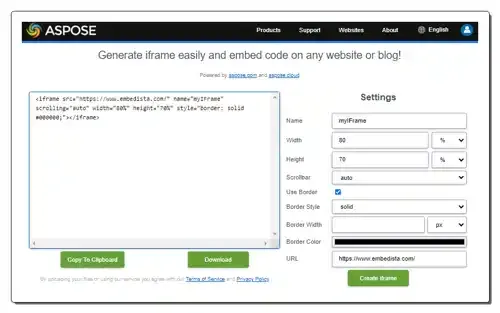
aspose.app is another free online iFrame Code generator website. This website helps me generate a custom iFrame code that I can embed on any website. To customize the code, I can enter custom page parameters like Width, Height, Scrollbar (enable or disable), use border, border style,m border width, border color, and URL of a website. Based on the submitted values, it generates an iFrame code that users can save in HTML format. Now, follow the below steps.
It is another free online iFrame code generator website that allows users to easily generate a custom iFrame code.
| Pros | Cons |
|---|---|
| Lets users adjust and specify frame and design elements | Doesn’t show a preview |
| Users need to subscrie to its paid iservice to unlock all features |
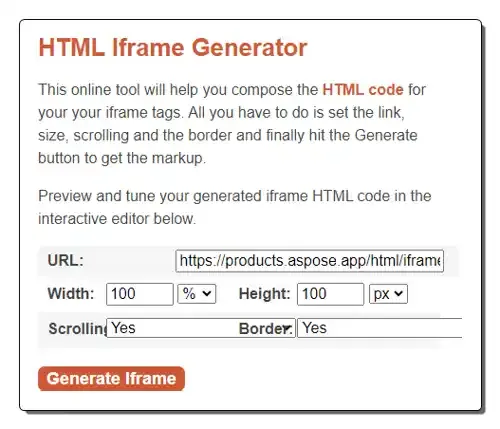
html-css-js.com is another good online iFrame code generator website. This website can generate an iFrame code based on specified website URL, Width, Height, Scrolling, and Border values. It also provides an interactive preview of the iFrame code that allows users to interact with the iFrame window. Unlike other similar websites, it lets users specify the CSS parameter of the page. Now, follow the below steps.
I like this online Iframe code generator website as it allows me to create custom iFrame code and preview its look.
| Pros | Cons |
|---|---|
| Lets users adjust and specify frame and design elements | Doesn’t let users specify the frame color |
| Shows a preview of the iframe code |
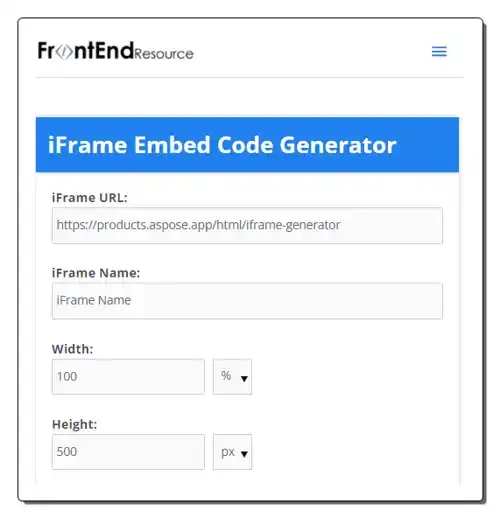
frontendresource.com is another free online iFrame code generator website. Using this website, I can generate an iFrame code consisting of embedded website and border elements. It also generates an interactive preview of the iFrame code with which users can interact. To customize the iFrame code, users can specify iFrame resolution, add a scrollbar, and specify border size & color. It also explains iFrame and the features of this iFrame code generator. It also answers queries related to this iFrame code generator. Now, follow the below steps.
It is another good online iFrame code generator website that generates iFrame code with interactive code preview.
| Pros |
|---|
| Lets users adjust and specify frame and design elements |
| Shows a preview of the iframe code |
| Let users specify the border-color |
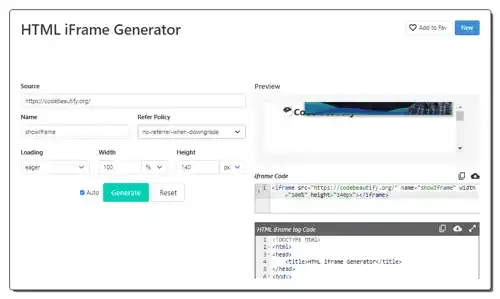
codebeautify.org is another free online iFrame code generator website. With the help of this website, I can easily generate iFrame code based on my requirements. Along with the source website URL, I can also specify the embedded website loading time (Lazy or Eager) and the resolution of the iFrame window. After generating the iFrame code, I can preview the iFrame window and interact with the source website. Unlike, similar websites, it also generates an HTML iFame tag Code that users can copy and use on their websites. Now, follow the below steps.
It is another good online iFrame code generator website that helps me and other users generate both iFrame and HTML iFrame tag codes.
| Pros | Cons |
|---|---|
| Lets users adjust and specify frame and design elements | Lacks some frame adjustment settings |
| Shows a preview of the iframe code |
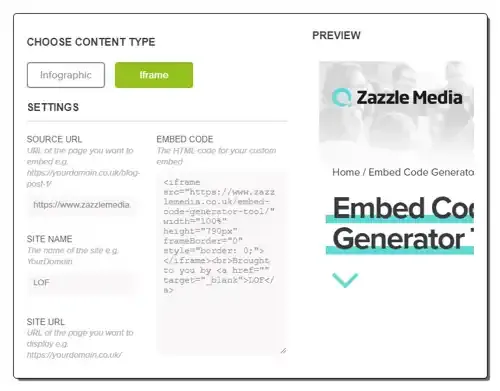
zazzlemedia.co.uk is another free online iFrame code generator website. This website offers an embed code generator tool that helps me and other users generate custom iFrame code for their websites. Apart from iFrame code, it can generate website Infographics. Now to generate iFrame code, users need to submit the source URL, site name, and frame dimension values. After that, users can view the final iFrame embed code and a preview window. Now, follow the below steps.
It is another good online iFrame code generator website that anyone can use without much hassle.
| Pros | Cons |
|---|---|
| Lets users adjust and specify frame and design elements | Lacks some frame adjustment settings |
| Shows a preview of the iframe code |
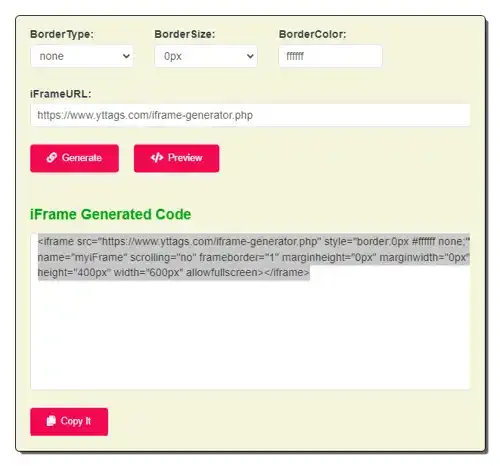
yttags.com is the last free online iFrame code generator website. This website allows users to fully customize the frame and embedded video parameters like width, height, ad scrollbar, margin width, margin height, border, border size, border color, and more. Plus, users can interact with the source website under an iFrame preview window. I also like its how to use this iFrame generator section that helps new users understand this tool and generate iFrame code using it. Now, follow the below steps.
It is another good online iFrame code generator website that offers all the tools to generate a custom iFrame code.
| Pros |
|---|
| Lets users generate a custom iFrame code |
| Provides an interactive preview window |
iFrame or Inline Frame is an HTML element that allows users to embed a webpage within an existing webpage. It allows users to show the video content or website content in a smaller window within another website. iFrames are used for advertisements, web analytics, and interactive content.
The basic iframe HTML for a URL looks like this:
Right-click on the iframe element on the webpage. Select “Inspect” (or “Inspect Element”) from the context menu. This will open the browser’s developer tools window. In the developer tools window, locate the HTML code section. You should see the tag with its attributes like src, width, and height.
Yes, iFrames are still used in HTML. They are a common element for embedding external content within a webpage, despite having emerged in 1997. While not the only option, they offer several advantages in specific situations like Embedding external content becomes straightforward, reducing the need to write complex code or integrate third-party services directly. It also allows independent updates and management of the embedded content compared to directly coding it into your page.
Need somewhere to host the page you are embedding into? See 4 Best Free Static Website Hosting Services.
Build and check cron schedules online. These free cron expression generators explain schedules in plain English and show the next run times.
Read more: 4 Best Free Cron Expression Generator Websites »Here's a free Tailwind UI generator to generate, edit Tailwind CSS components with AI. Generate simple and complex Tailwind components.
Read more: Generate TailwindCSS Components for Free with this AI based UI Generator »Use these online CSS keyframe Animation generator websites to create custom CSS keyframe animations and keyframe animation code.
Read more: 8 Best Free Online CSS Keyframe Animation Generator Websites »Here are some best free online code editor websites to write, edit, run code online. Use these websites to code in any programming language, share code, collaboration
Read more: 5 Free Online Code Editor Websites to Write, Edit, Run Code Online »Devarts Code Compare is a free tool to merge and compare the source code from various files and folders. Get it free.
Read more: Free Tool to Merge, Compare Various Files and Folders: Code Compare »Decode JSON Web Tokens online to read their header, payload and expiry time. These free JWT decoder websites also verify signatures and create test tokens.
Read more: 4 Best Free Online JWT Decoder Websites »