How to Convert GIF to Excel?
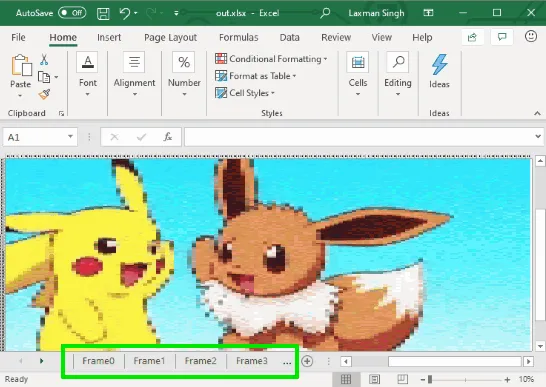
This article covers how to convert GIF to Excel. You can select an animated GIF and then save all the frames of that GIF as XLSX file.
Read more: How to Convert GIF to Excel? »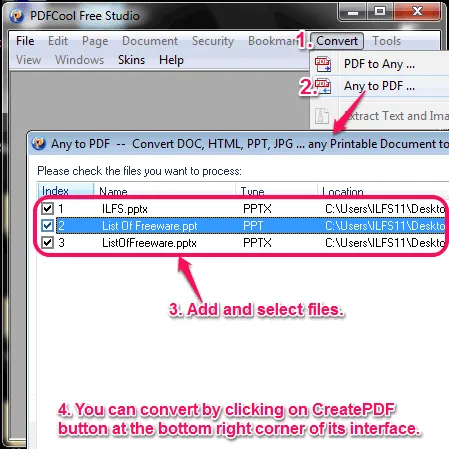
Here are 9 best free software to convert PowerPoint to PDF in Windows. Most of them are different from each other and some also let you adjust PDF quality.
This is the list of 9 best free software to convert PowerPoint to PDF file format.
Converting PPT and PPTX files into PDF can be a good option because, there are many free PDF reader software available.
You can use all these 9 free software to convert PowerPoint to PDF file format. Most of them are different from each other and some of them also let you adjust PDF quality while converting.
Let see each of these software with some of their quality features.
Also check out these best free software to create presentation and PPT to Video Converter.
Note: To use last three software, you need to already have Microsoft PowerPoint software. Don’t worry, if you don’t have; the first six are good enough.
PDFCool Free Studio (free version) is a feature-PPT to PDF software. One of its key features is to convert any type of Documents to PDF file format in bulk, which also includes PowerPoint file. While converting, it also let you customize PDF page size. Other categories of files it supports are: Office, Image, Web, Text, etc. and it can also convert PDF into Office, Image, etc. file formats. You can also use it as a PDF editor with features like Text and image watermark, file compare, file compress, split documents, etc.
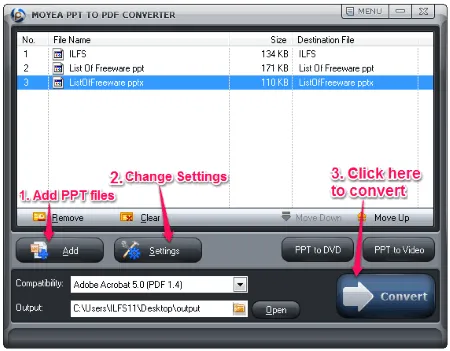
Moyea PPT to PDF Converter can convert PPT file to PDF file format in bulk. You can simply add multiple PPT files on its interface and convert them into PDF format. It also supports drag n drop feature and it can also convert DOC and XLS to PDF file format.
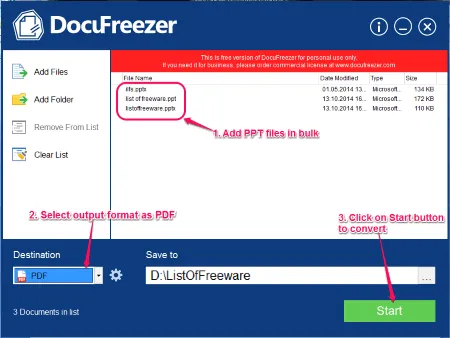
DocuFreezer can convert PowerPoint to PDF in batch with file drag n drop feature. It supports many other useful input file formats, such as: VSD, HTML, XPS, XLS, etc. Apart from converting to PDF, it can also convert PPT to image files, such as: JPG, PNG and TIFF. It also looks good as it has a large, nice and clean user-interface.
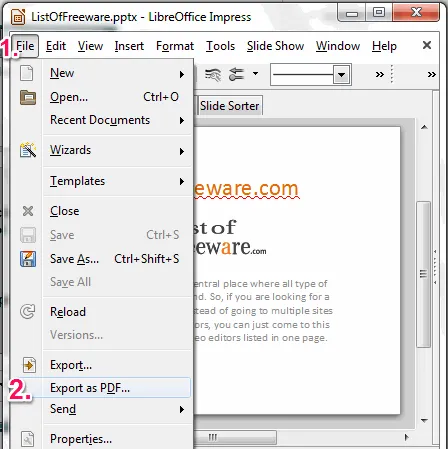
LibreOffice, as we all know, is a popular office tool. With its Office files editing features, it also lets you convert PPT to PDF file format easily. You can simply open a PPT file, then click on the File option in the menu bar and then click on Export as PDF from the pop-up menu. You can also export PPT to SVG, PSD, GIF, PNG, etc. file formats. It can also be used for viewing VSD, SVG, AI, CDR, PSD, etc file formats.
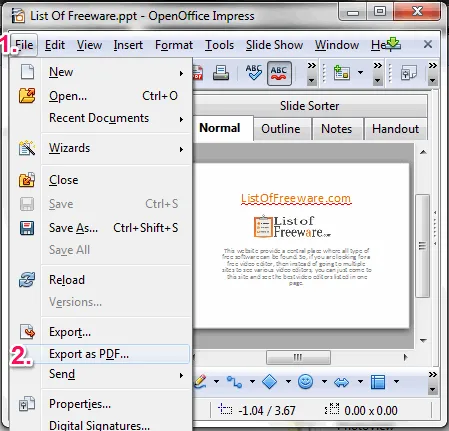
OpenOffice is a cross-platform office tool which is use for editing office documents. But you can also use it for converting PowerPoint to PDF file format. Apart from that, it can also convert other office documents, such as: Spreadsheet, Drawing, Text Document, etc. files to PDF file format. It is also available for Linux and Mac OS in multilingual user-interfaces.
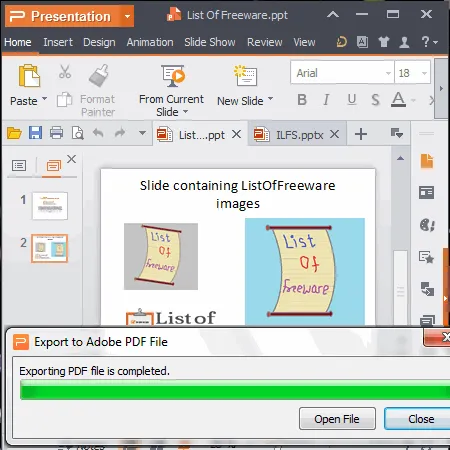
In Kingsoft Office suite, there is a WPS Presentation software. It can convert PowerPoint to PDF file format easily in a good quality. After opening a PowerPoint file in this software, click on the orange Presentation button on top-left corner on its interface, then select Save As option and then click on Export to PDF option. You can also view multiple PPT file at a time using this software.
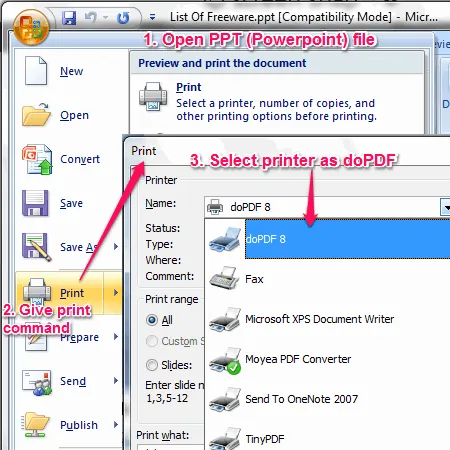
You can use doPDF PDF Printer software as PowerPoint to PDF Converter. It has a unusual technique but it is effective. You need to simply open a PPT file, then give the print command and while printing, select printer as doPDF. It also let you convert DOC, CSS, HTML, PSD and XLS to PDF file format. It is a very small software which also supports many other images to PDF file conversion.
Also checkout the list of best free PDF Printers.
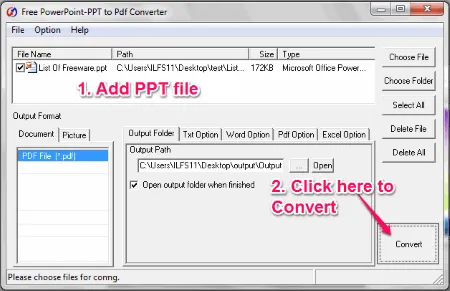
Free PowerPoint-PPT to PDF Converter (free version) is simple and straight-forward software. It is a simple software because it has its main featurez to convert PPT into PDF file format. It is available in multilingual user-interfaces.
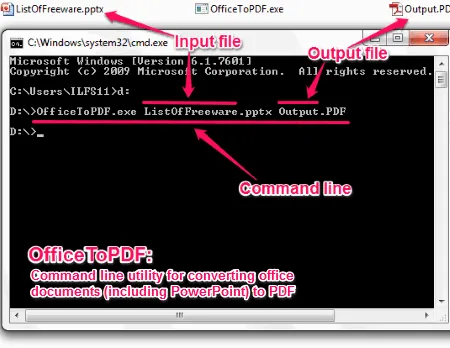
OfficeToPDF is a command line utility to convert pptx to PDF file format. To use this utility, you need to give a specific command in the command prompt. The command includes address for opening OfficeToPDF utility, then input PPTX file name and then output PDF file name. You can also convert other office files which also includes older files version, such as: PPT, XLS, DOC, etc.
This article covers how to convert GIF to Excel. You can select an animated GIF and then save all the frames of that GIF as XLSX file.
Read more: How to Convert GIF to Excel? »This tutorial explains how to embed YouTube videos, polls, and live websites in PowerPoint. I have used a free add-in, named LiveSlides, for this task.
Read more: Embed YouTube Videos, Polls, Live Websites In PowerPoint »Learn how to run Python in Google Sheets to import data, process data, and visualize data with the help of charts and graphs.
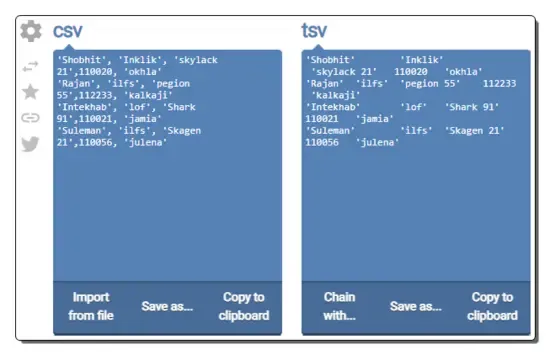
Read more: How to Run Python in Google Sheets »Check out these best free online CSV to TSV converter websites where you can convert data from CSV format to TSV format in seconds.
Read more: 8 Best Free Online CSV to TSV Converter Websites »Check out these best free online ODS to CSV converter websites where you can convert OpenDocument Spreadsheet data to CSV format.
Read more: 10 Best Free Online ODS to CSV Converter Websites »Use these PPTX to JPG converter online services to quickly convert one or more PPTX files to JPG, BMP, PNG, etc., formats.
Read more: 7 Best Free PPTX to JPG Converter Online Services »