7 Best Free PPTX to JPG Converter Online Services
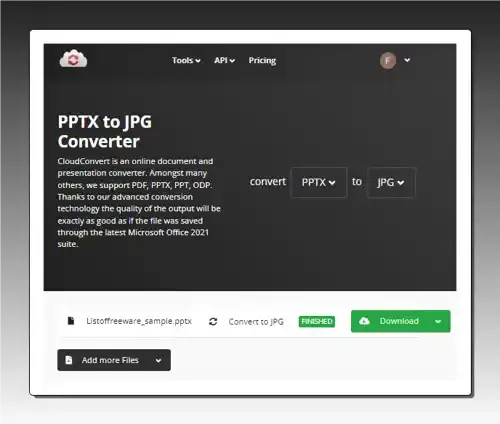
Use these PPTX to JPG converter online services to quickly convert one or more PPTX files to JPG, BMP, PNG, etc., formats.
Read more: 7 Best Free PPTX to JPG Converter Online Services »
Check out these best free online Excel to XML converter services where you can easily convert spreadsheet data into XML format.
Here is a list of the best free online Excel to XML converter services. Excel is a file format of Microsoft Excel that contains spreadsheet data. The data in a spreadsheet follows a tabular structure. On the other hand, XML is a markup language that is similar to HTML. Unlike HTML which has predefined tags, XML lets you define your own tags as per your needs. This makes XML good for storing and transporting data in a structured format between software.
It is easy to convert Excel spreadsheet data to XML data. There are many online tools that you can use for this task. I’m covering 12 such online tools where you can perform this conversion within a minute or so. Most of these converter tools perform file-to-file conversion where you upload an Excel file and get an XML file as output. Some converters take a fast pace approach to this conversion. These tools let you paste Excel data directly and then show XML data after conversion. With that said, let’s go through the list and check these out in detail.
Aspose.app is my favorite service on this list to convert Excel to XML online. This particular converter offers multiple ways for Excel input as well as XML output. It can perform batch conversions quickly and also lets you pick the desired XML structure for the conversion. However, if you need to preview data and make changes to it before or after conversion, then TableConvert.com is a good tool to go with.
You can check out our other lists of the best free online Excel to HTML Table Converter services, Image to Excel Converter online services, and online XML Schema Generator websites.
| Name | Excel Input | Output | Batch Conversion |
|---|---|---|---|
| Aspose.app | File | XML File | up to 10 files |
| FreeConvert.com | File | XML File | up to 5 files |
| MiConv.com | File | XML File | Any |
| OnlineConvertFree.com | File | XML File | up to 5 files |
| TableConvert.com | File / Data / URL | XML Code / File | Not supported |
| AnyJSON.in | File | XML Code / File | Not supported |
| wTools.io | File / Data | XML Code / File | Not supported |
| CodeBeautify.org | File / Data | XML File | Not supported |
| JoaoFaraco.com.br | Data | XML Code | Not supported |
| ConversionTools.io | File | XML File | Not supported |
| GroupDocs.app | File | XML File | Not supported |
| Zamzar.com | File | XML File | up to 2 files |
Aspose.app offers a wide variety of online tools that you can use for free. It has a free online Excel to XML Converter. This converter takes Excel files as input and converts them to XML files. It is capable of batch conversion allowing up to 10 files per conversion. There is a 20 MB size limit for each file which seems fair for Excel files. Also, there are multiple ways to add files to the converter. You can upload directly, import remote files via URLs, or fetch from Google Drive or Dropbox.
Coming to the conversion, there are two ways you can structure the XML data; SpreadsheetML and XMLData. While both are XML-based, SpreadsheetML is specific to Excel and provides XML tags and attributes for its spreadsheet elements. On the other hand, XMLData is not specific to any application or domain and can be used for representing data in various formats. You can pick the desired type and proceed with the conversion. The output gives you converted XML files that you can download directly along with options to send via email and export to Google Drive and Dropbox.
| Pros | Cons |
|---|---|
| Can batch convert up to 10 files per conversion | Does not show any preview of data |
| Offers 2 XML structure formats for conversion | |
| Supports cloud import as well as export on conversion | |
| Option to directly send output files via email |
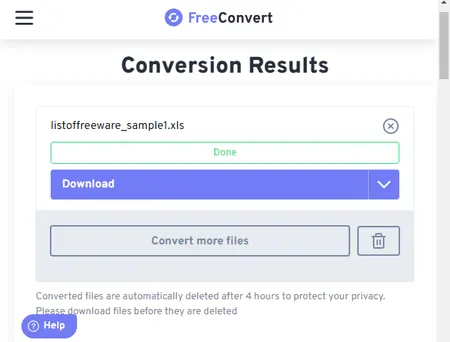
FreeConvert.com is an online converter that supports a wide variety of formats. The website has a dedicated XLS to XML Converter that converts Excel files to XML files. The converter supports local upload along with URL import and integration with Google Drive and Dropbox. You can use either method to add the Excel files to the converter and then perform the conversion. This converter can convert files in batches of 5 files per conversion. There are no additional options or features that you can configure. However, you get multiple options for the converted XML files. You can download each file separately or all packed in a ZIP. You can export the files directly to your Google Drive and Dropbox accounts. And you also get a QR code to share each file individually. Do note that this converter offers 25 conversion minutes per day for free. If a file takes a minute or less, that allows you to convert up to 25 files per day.
| Pros | Cons |
|---|---|
| It can convert files in batches of 5 files per conversion | No option to preview data without downloading |
| Supports import and export for GDrive & Dropbox | |
| Generates QR code to easily share converted files |
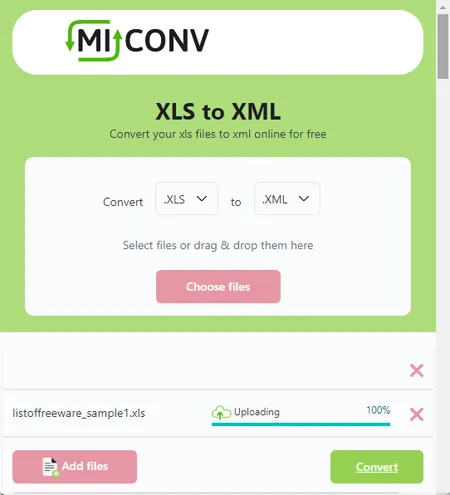
MiConv.com is a free website where you can convert images, documents, videos, audio, GIS, and more. It supports both, XLS and XML, formats and offers a converter for the same. The converter is simple and supports local uploads only. You can drag and drop any number of Excel files to the converter as long as each file is under the 75 MB file size limit. There are no additional options so you can just start the conversion process right away. It performs the conversion consecutively, one file after another. As soon as a file is converted, you get a download button alongside it. You can configure dozens of files for conversion and keep downloading each file as it completes. One downside is that you have to download each file separately. After a batch conversion, there is no button to download all files at once.
Note: This converter shows errors for some particular Excel files and works fine with others. I could not pinpoint the cause of this but keep that in mind.
| Pros | Cons |
|---|---|
| Consecutively converts any number of files | No option to download all files at once after batch conversion |
| Shows errors with some files |
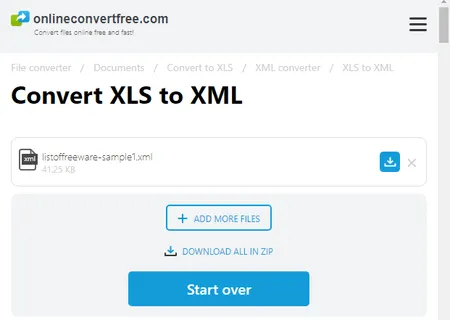
OnlineConvertFree.com offers a free tool to convert Excel to XML online. This is a simple converter where you can add and convert up to 7 files per conversion. It has a 100 MB file size limit for conversion. It lacks integration with popular cloud storage platforms but you can easily upload local files and convert them to XML. Upon conversion, it puts a download button alongside each converted file. It also has a button to download all converted files packed in a ZIP. You can convert and download the files the way you prefer.
| Pros | Cons |
|---|---|
| Supports batch conversion (up to 7 files) | No additional features or options |
| Simple and quick to convert |
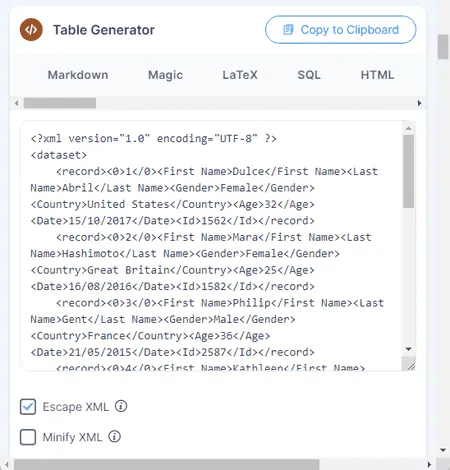
TableConvert.com is a free website to convert tabular data online. You can configure this website for various file formats simply by choosing the input and output. There are three steps to this conversion:
The Table Generator section is where you get the XML data. It has two buttons at the top. One button is to copy the XML data to the clipboard and another is to download it as an XML file. You can use any or both buttons to save XML as per your requirements.
| Pros | Cons |
|---|---|
| Supports multiple ways to add Excel data | No direct batch conversion is possible |
| Shows the Excel and XML data on screen | |
| Built-in table generator to easily edit data |
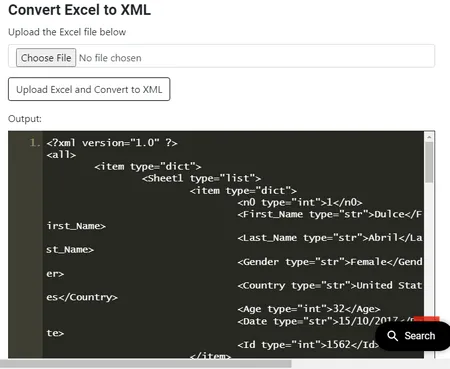
AnyJSON.in is a free website that offers various tools for programming languages and structural data formats. It has a tool to convert Excel to XML. This is a simple tool that takes an Excel file as input. When you upload the file, it converts the Excel data into XML data and shows that on the screen. You get the XML data in an editor that you can edit if needed. Below that editor, you get two buttons to copy and download the XML data. You can use the desired button to save the converted XML data.
| Pros | Cons |
|---|---|
| Quickly converts Excel to XML data | No batch conversion supported |
| Shows the converted XML data on screen |
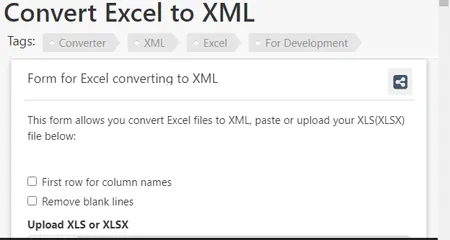
wTools.io is another free website that offers a wide collection of online tools. This also includes a tool to convert Excel to XML online. This tool takes an Excel file as input and converts the spreadsheet data into XML. The converter supports local file upload only and offers a couple of options for blank lines and header. It starts the conversion as soon as you add the Excel file. So you have to set the options accordingly before uploading the Excel file. With that, it shows the converted XML data on the screen. At the top of that, you get options to copy and download the data. You can copy it to the clipboard and download it as an XML file as well.
| Pros | Cons |
|---|---|
| Shows converted XML data prior to download | It is limited to one file conversion at a time |
| Allows to set header and remove new lines from data |
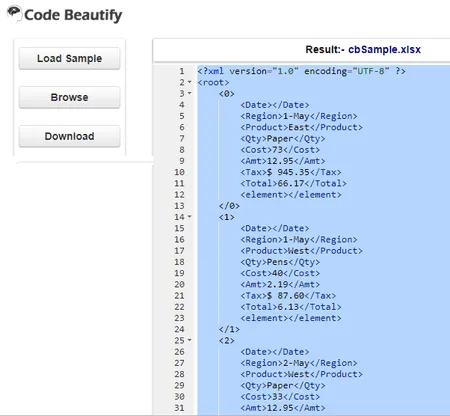
CodeBeautify.org is a free website known for its online tools to beautify, format, and convert codes and data. It also offers a free Excel to XML converter. This is a simple tool that has an editor on the screen with a few buttons on the left. From the left, you can use the Browse button to add your Excel file to the converter. As soon as you add the Excel file, it performs the conversion and shows the converted XML data on the screen. From there, you can select and copy it to the clipboard. Alternatively, you can also use the given button to download it as an XML file.
| Pros | Cons |
|---|---|
| Allows you to copy/download converted XML data | Does not offer any additional feature/option |
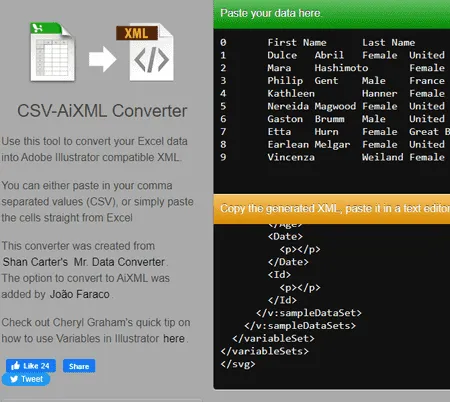
JoaoFaraco.com.br offers a quick tool to convert Excel to XML online. This tool takes Excel data instead of an Excel file. So might have to open an Excel file somewhere and then copy-paste it to this tool. It has two sections on the screen. The top section with a green header is where the Excel data goes. On the left button side, you have a few options for the headers and white space. This allows you to change the case of the header, keep/remove white space, and pick an indent. When you add the Excel data, it instantly converts that to XML and shows that in the section below. From there, you can simply select all and copy the XML data.
| Pros | Cons |
|---|---|
| Provides options for header and white spaces | Takes Excel data instead of file upload |
| Ideal for quick data-to-data conversion |
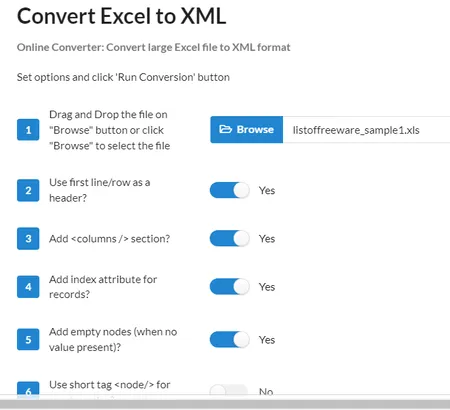
ConversionTools.io is another website where you can convert Excel to XML online. The converter on this website takes an Excel file as input and provides an XML file in the output. It converts one file at a time with a maximum size capacity of 10 MB. Along with that, it also offers a few conversion options that let you toggle for header, column section, index attribute, remove empty nodes, short tags, and XML encoding. You can set these options as per your requirements. With that, you can perform the conversion and turn your data from an Excel file to an XML file. Do note that this website only allows 10 free conversions per day.
| Pros | Cons |
|---|---|
| Multiple conversion options for XML | Limits free conversion per day |
| Quick file-to-file conversion |
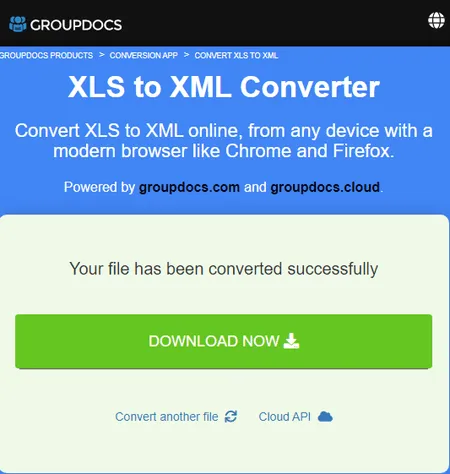
GroupDocs.app offers a free XLS to XML converter. This is a simple converter that converts an Excel file to an XML file. Despite the name, it supports both, XLS and XLSX file formats. You can simply drag an drop an Excel file to the converter and then perform the conversion. This converter keeps everything simple with no extra options or features. You can just add Excel input and perform the conversion. After the conversion, it shows a big button to download the converted file. Along with that, it also provides a section to add an email address to share the converted file via email.
| Pros | Cons |
|---|---|
| Option to share the converted file via email | The converter get stuck sometimes |
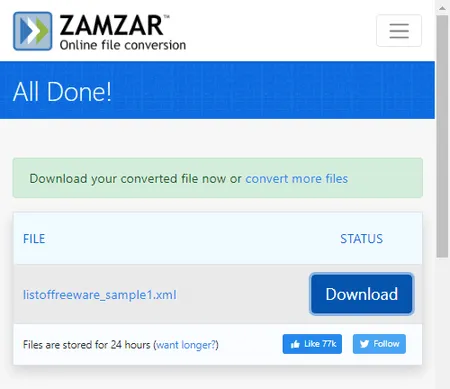
Zamzar is yet another website where you can convert Excel to XML online. This website offers online tools and converters. You can configure an Excel to XML converter on this website and perform your conversion. The converter has cloud integration that allows you to import files from URL, Box, Dropbox, Google Drive, or OneDrive. You can add up to 2 files to the converter with a maximum size capacity of 50 MB. With that, you can perform the conversion. While doing so, you can opt-in for an email alert that sends the download links via email. However, this website limits the number of conversions to 2 files per 24 hours. As a free user, you have to work with this limit.
| Pros | Cons |
|---|---|
| Multiple input methods including import from cloud storage | Limits to 2 free file conversions per day |
A simple and quick way to convert XLS to XML is to use an online file conversion tool like Aspose, FreeConvert, TableConvert, etc. Upload the Excel file to the website and get the converted XML file in a few easy steps.
To open an XLS file as XML, you have to convert it first. To do that, you can either use an online converter or open the XLS file in Microsoft Excel and save it as an XML file.
Yes, Excel can generate XML files. You can export data in XML format directly or create a custom XML schema using Excel’s XML Mapping feature.
To convert an XML file to an Excel workbook, you can use an online XML to Excel converter. Alternatively, you can import the XML data into Excel. You may need to create an XML Map if the XML file has a custom schema.
Use these PPTX to JPG converter online services to quickly convert one or more PPTX files to JPG, BMP, PNG, etc., formats.
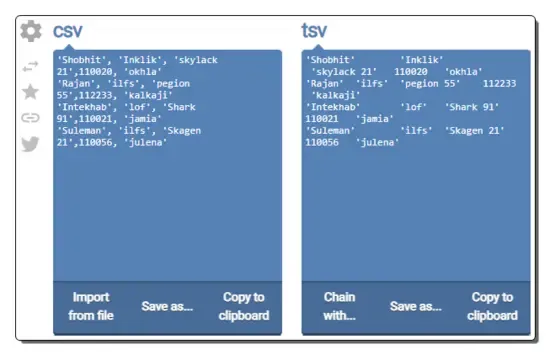
Read more: 7 Best Free PPTX to JPG Converter Online Services »Check out these best free online CSV to TSV converter websites where you can convert data from CSV format to TSV format in seconds.
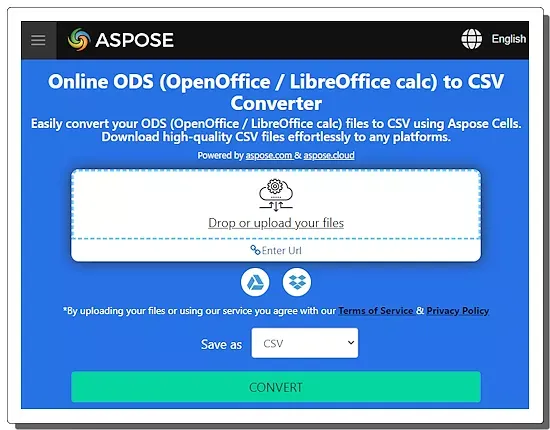
Read more: 8 Best Free Online CSV to TSV Converter Websites »Check out these best free online ODS to CSV converter websites where you can convert OpenDocument Spreadsheet data to CSV format.
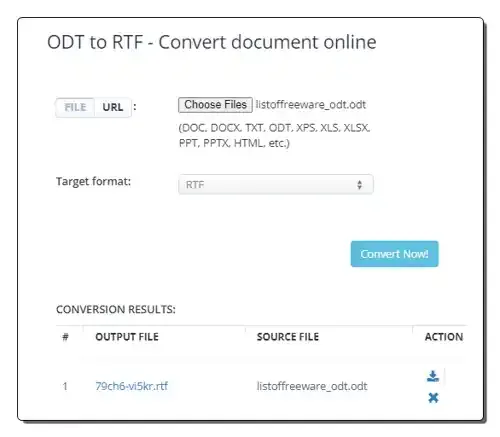
Read more: 10 Best Free Online ODS to CSV Converter Websites »Use these online ODT to RTF converter websites to quickly convert ODT files to RTF and other supported document formats.
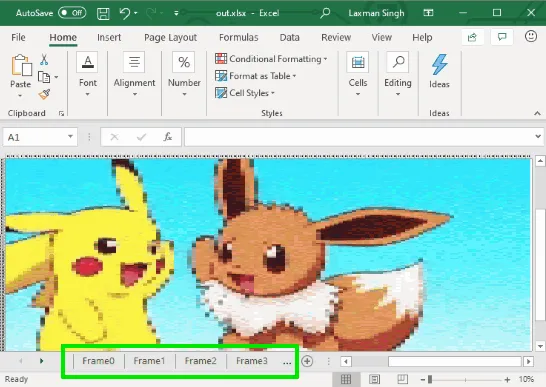
Read more: 10 Best Free Online ODT to RTF Converter Websites »This article covers how to convert GIF to Excel. You can select an animated GIF and then save all the frames of that GIF as XLSX file.
Read more: How to Convert GIF to Excel? »Here's a free username availability checker for Twitter, Instagram, Slack, Facebook, and 70+ other services. This command line tool is named "Sherlock".
Read more: Username Availability Checker for Twitter, Slack, Facebook, 70+ services »